Use a budget in reports
Budgets are added to a report when you create it, from the Budget vs Actual section of the FinBoard plugin.
How budgets follow a custom report structure
QuickBooks budgets originate on the QuickBooks chart of accounts. When you run a single-company or consolidated report with a named mapping, both budget and actual values follow that selected mapping. Variance and over/under are calculated from the rows displayed in the report.
To see how a named mapping is created and reused in a monthly report, see Build and reuse a custom monthly P&L.
Add a budget column
- Open a Google Sheet and launch the FinBoard extension.
- Click Create Report and pick your Company and report.
- Set the Report Period and the rest of the report as usual.
- Expand Budget vs Actual and open Add Budget.
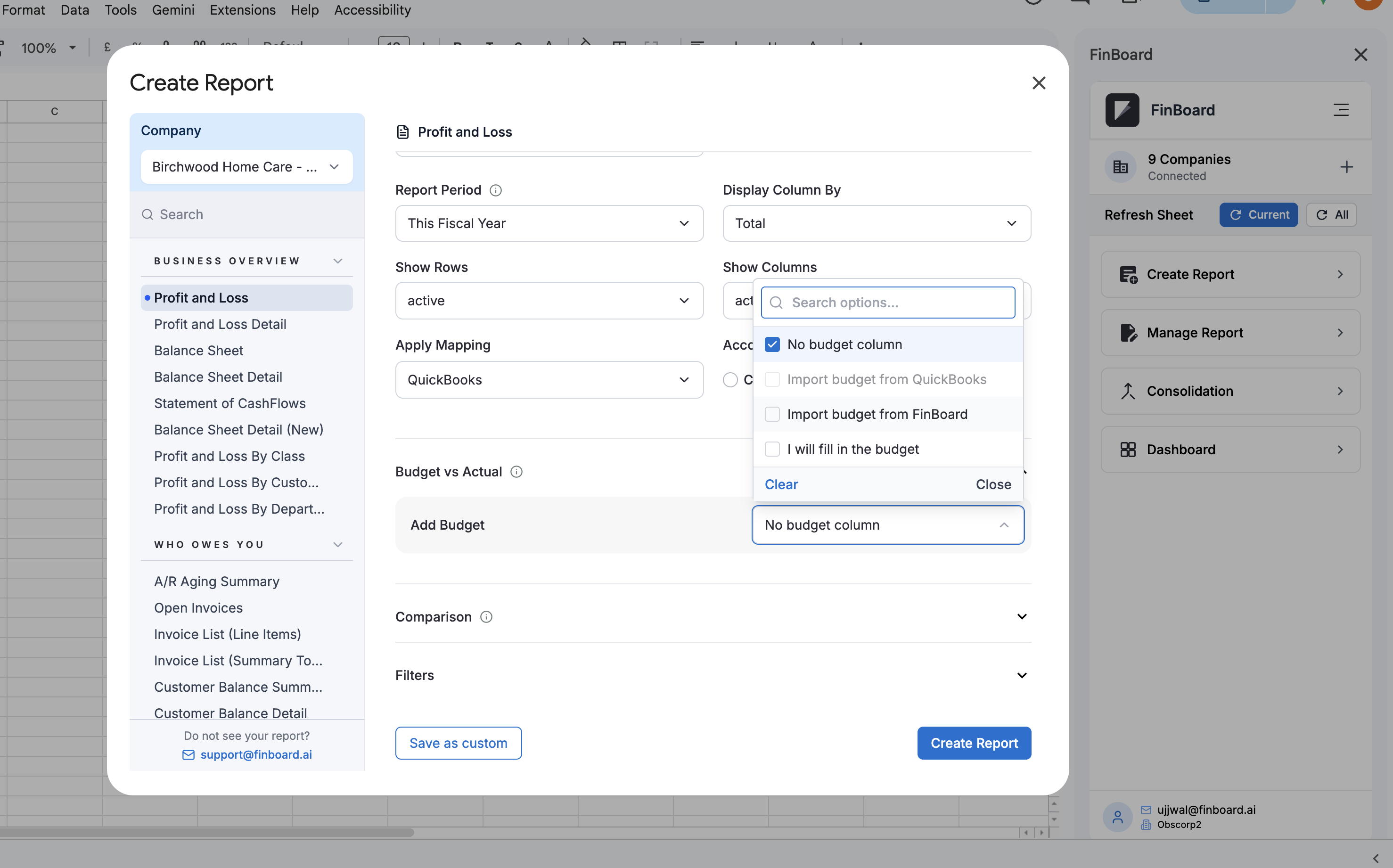
| Option | What you get |
|---|---|
| No budget column | Actuals only. The default. |
| Import budget from QuickBooks | A budget maintained in QuickBooks. |
| Import budget from FinBoard | A budget built in FinBoard. |
| I will fill in the budget | An empty budget column to type into directly in the sheet. |
Pick the budget and the comparison
Choosing Import budget from FinBoard reveals the rest of the section:
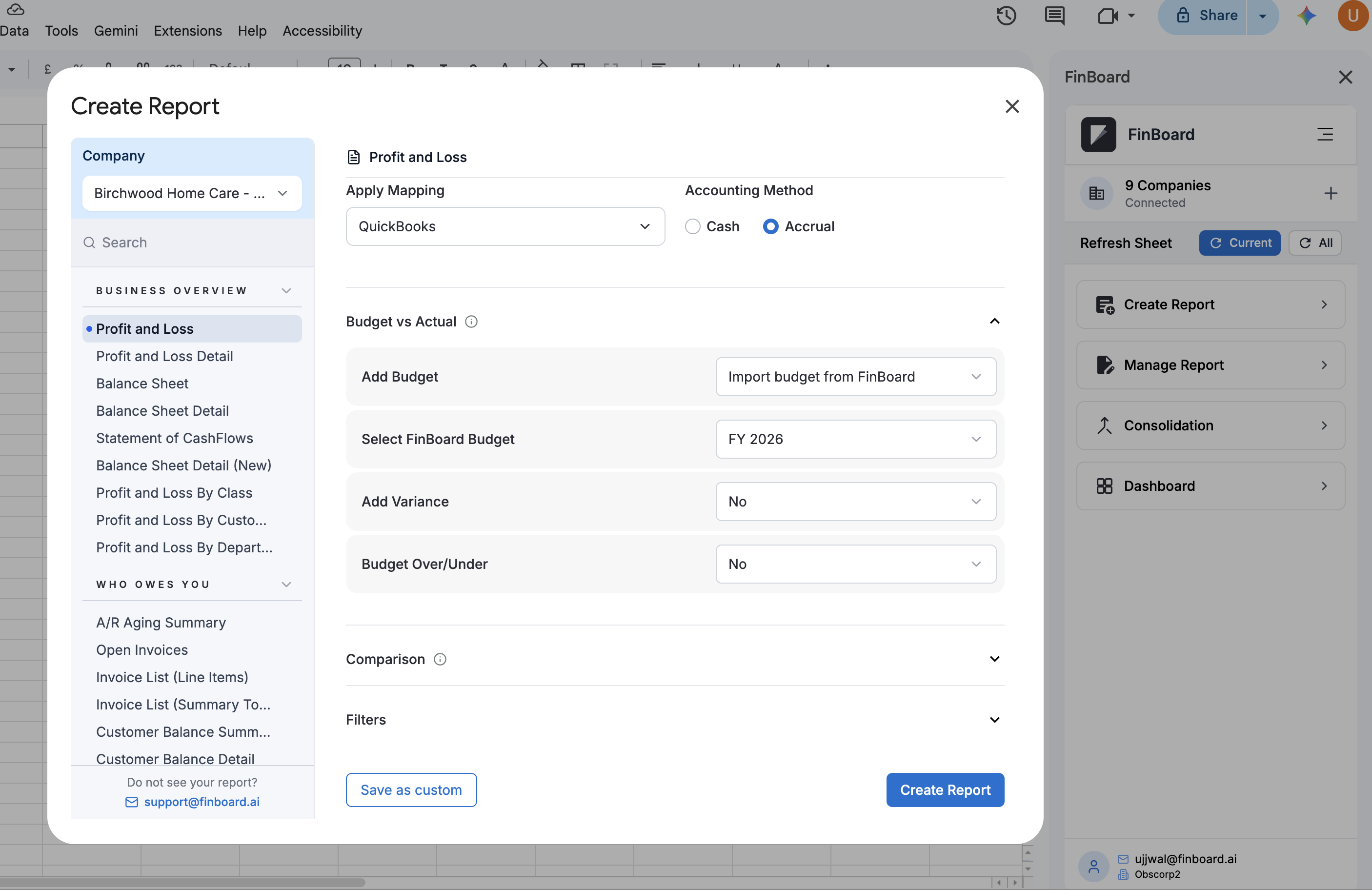
- Select FinBoard Budget — which budget to use. The list shows active budgets for the selected company and fiscal year, so a draft budget will not appear here.
- Add Variance — adds the difference between actual and budget.
- Budget Over/Under — adds an over/under column.
Then click Create Report.
If the budget you want is not listed
Work down this list — the first two cover almost every case:
- The budget is still a draft. Budgets are created as drafts and must be set to Mark as Active before reports can see them. Check the Status column on the Budgets page.
- The fiscal year does not match. The dropdown is filtered to budgets for the year being reported.
- The company is wrong. Budgets belong to a company, and a consolidated group has its own, separate from its member entities.
- The source does not match. A company configured for QuickBooks budgets will not list FinBoard budgets, and the reverse.
QuickBooks budgets and custom calendars
“Import budget from QuickBooks” is unavailable when the report uses a custom fiscal calendar. QuickBooks budgets are always on the standard fiscal year, so their periods cannot be lined up with a 4-4-5 or similar. If you select a custom calendar, the field resets to No budget column.
If you need budget-versus-actual on a custom calendar, build the budget in FinBoard against that calendar instead — see Create a budget.
Related
- Set up budgeting — choosing the source for a company
- Consolidated budgets — budgets across multiple entities