Consolidated budgets
Budgets are built at the entity level and roll up to the group — the same way your chart of accounts does. You do not re-enter a group budget by hand. You pick which budget each entity contributes, and FinBoard translates and sums them through your mapping.
Choose each entity’s budget
On a multi-entity group, open Budgets. Instead of a list of budgets you get a row per entity:
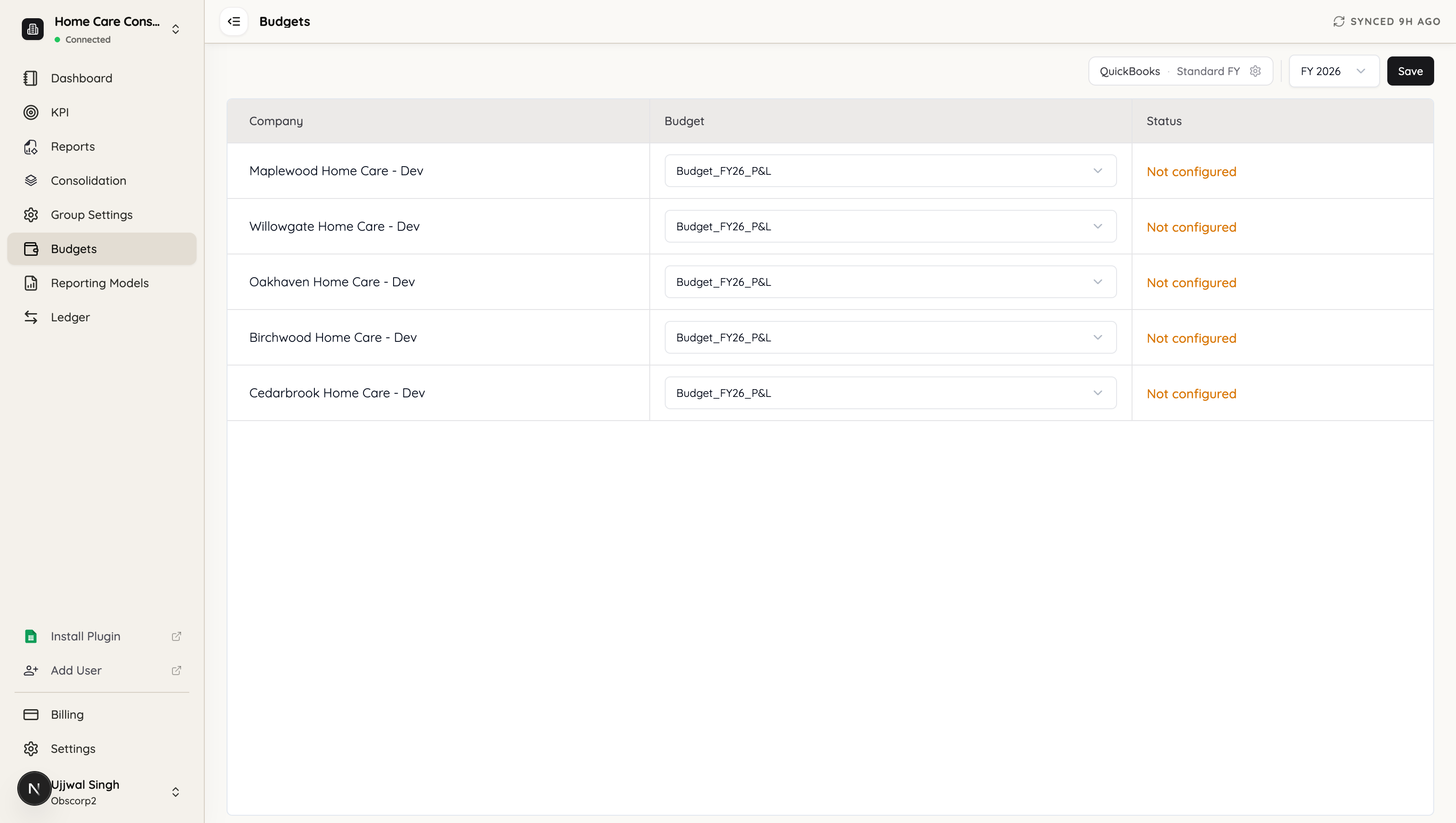
Set the fiscal year at the top, then choose which budget each entity contributes for that year. Only that entity’s budgets for the matching year are offered. Click Save when the rows are right.
Two things follow from this design:
- The consolidated budget is read-only. To change a number, change it in the entity budget it came from. There is no group-level grid to type into.
- Rolling forward is per-year. Selections are stored per fiscal year, so next year you pick again without disturbing this year’s.
An entity left unselected simply contributes nothing.
Budget mapping
Open Consolidation → Budget Accounts. It has two sub-tabs: Budget Files, the entity selection above, and Budget Mappings, which is how each entity’s budget accounts translate into the parent’s chart.
Most of the time there is nothing to do here:
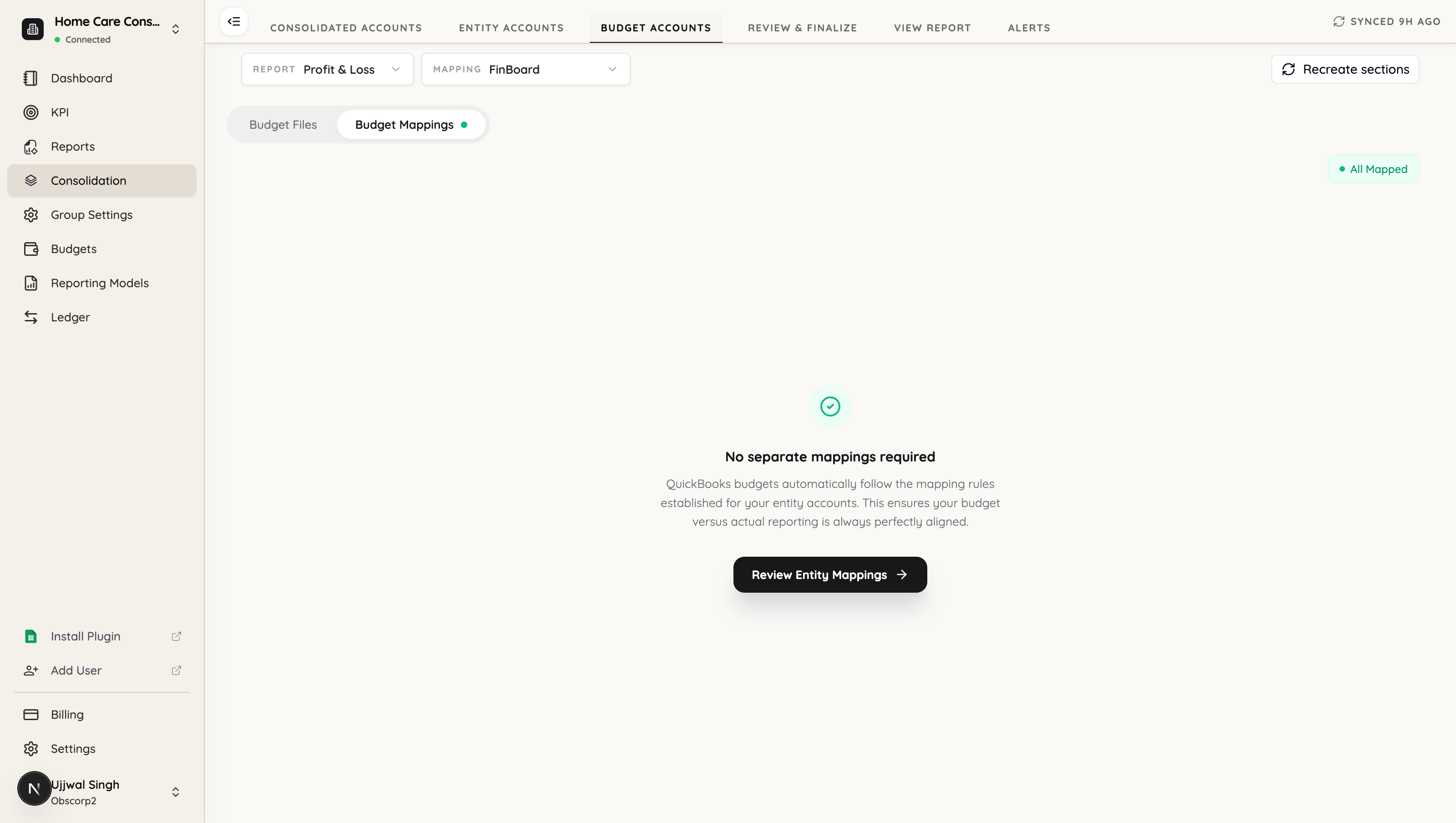
QuickBooks budgets automatically follow the mapping rules established for your entity accounts. This ensures your budget versus actual reporting is always perfectly aligned.
When a budget is written against the QuickBooks chart, it rolls up through the same mapping you already built for actuals. Budget and actual therefore land in the same rows by construction — which is what you want, because a budget-versus-actual report where the two sides used different mappings would be quietly wrong.
A separate budget mapping is only needed when the budget’s accounts differ from the accounts the actuals use — typically a budget written against its own structure rather than the QuickBooks chart. In that case, map the budget’s accounts to the group’s accounts on this tab, exactly as you map entity accounts.
The Status column on the entity rows tells you where each one stands; Not configured means that entity has no budget mapping of its own and will follow the account mapping.
How the numbers come together
When a consolidated report runs, for each entity FinBoard:
- loads the budget you selected for that entity,
- translates its accounts into the parent’s chart, through either the account mapping or a budget-specific mapping,
- converts the currency if the entity reports in a different one,
then sums the results across entities by account and period.
Because translation happens per entity before anything is added up, entities on different charts of accounts or different currencies consolidate correctly without you flattening them first.
Checklist
If a consolidated budget looks wrong or empty:
- Is each entity’s budget active? Draft budgets are not offered and do not contribute.
- Do the fiscal years match? Selection is per year; an entity budget for a different year will not appear.
- Did you Save after choosing? The selectors do not save on their own.
- Are the entity’s accounts mapped? An unmapped budget account contributes nothing, silently — check Entity Accounts.
Related
- Create a budget — building the entity budgets that feed this
- Use a budget in reports — budget-versus-actual columns
- Regroup Accounts — the mapping budgets roll up through