Set up budgeting
Before anyone creates a budget, decide how budgeting should work for the company. This configuration is what determines the options everyone sees afterwards — including whether budgets can be created in FinBoard at all.
Where the setting lives
Open Budgets in the sidebar. The current configuration is shown next to the + New Budget button, as a summary like QuickBooks · Standard FY. Click it to change it.
The same configuration exists in two places:
- Entity Settings — for a single company. Controls how that company’s budgets behave.
- Group Settings — for a multi-entity group. Sets the defaults used for consolidated reporting.
The three settings
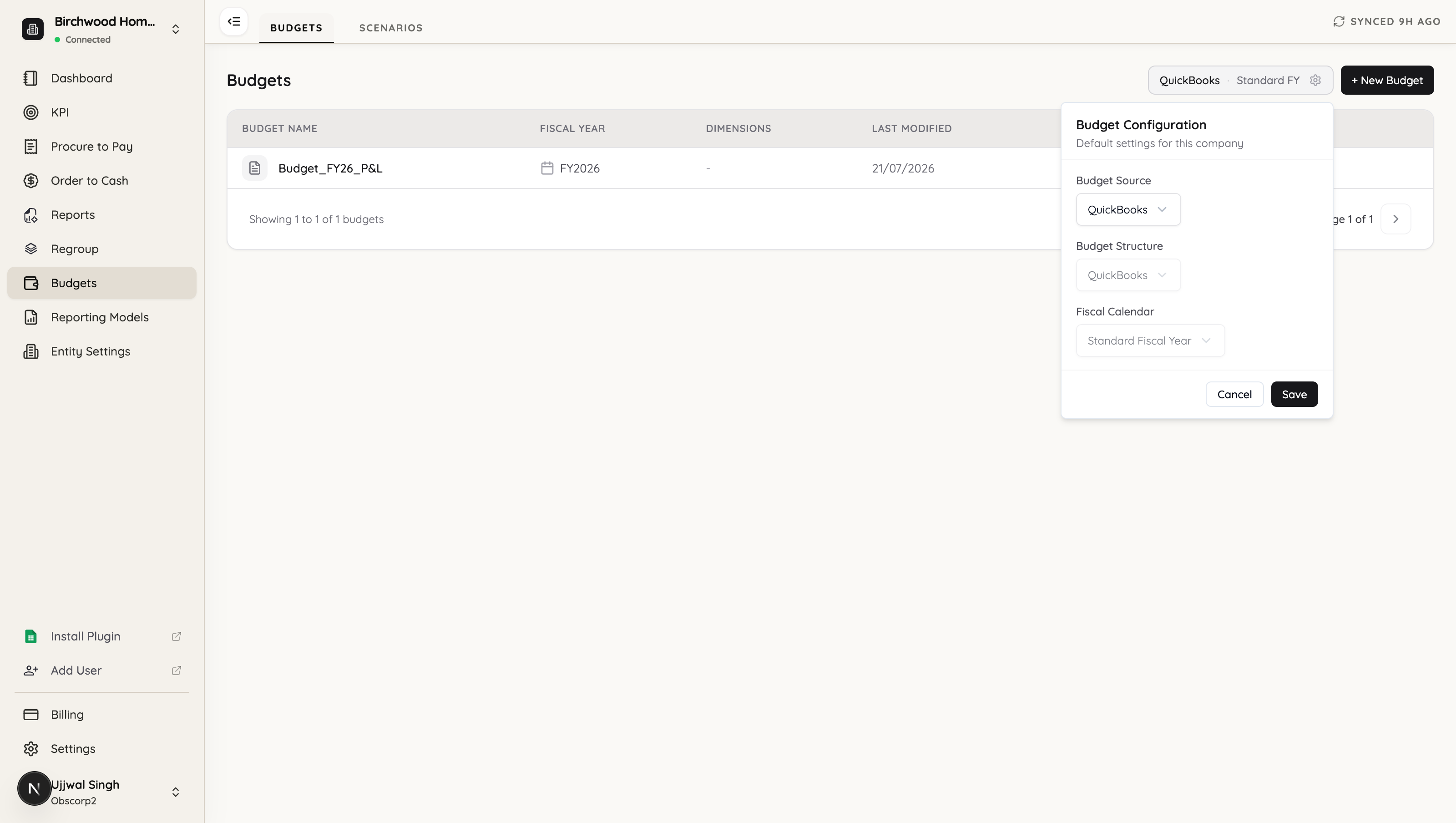
Budget Source
Where budgets come from. This is the decision that matters most.
- QuickBooks — budgets are created and maintained in QuickBooks, and FinBoard reads them. Nothing is authored in FinBoard.
- FinBoard — budgets are built in FinBoard, from uploaded files or entered by hand. This is the fuller option: only FinBoard budgets support splitting by dimension, editing, and consolidation.
Budget Structure
Which chart of accounts the budget is written against — the QuickBooks chart, or one of your FinBoard mappings. Use FinBoard when you budget at a different level of detail than your books, and want the budget to line up with a reporting structure you have already built in Regroup Accounts.
Fiscal Calendar
The calendar that generates the budget’s periods. Standard Fiscal Year, or a custom calendar such as a 4-4-5.
Structure and calendar follow the source
With Budget Source set to QuickBooks, the other two settings are greyed out and fixed:
- Structure is the QuickBooks chart, because that is what the budget was written against in QuickBooks.
- Calendar is the standard fiscal year.
Switch the source to FinBoard and both become editable:
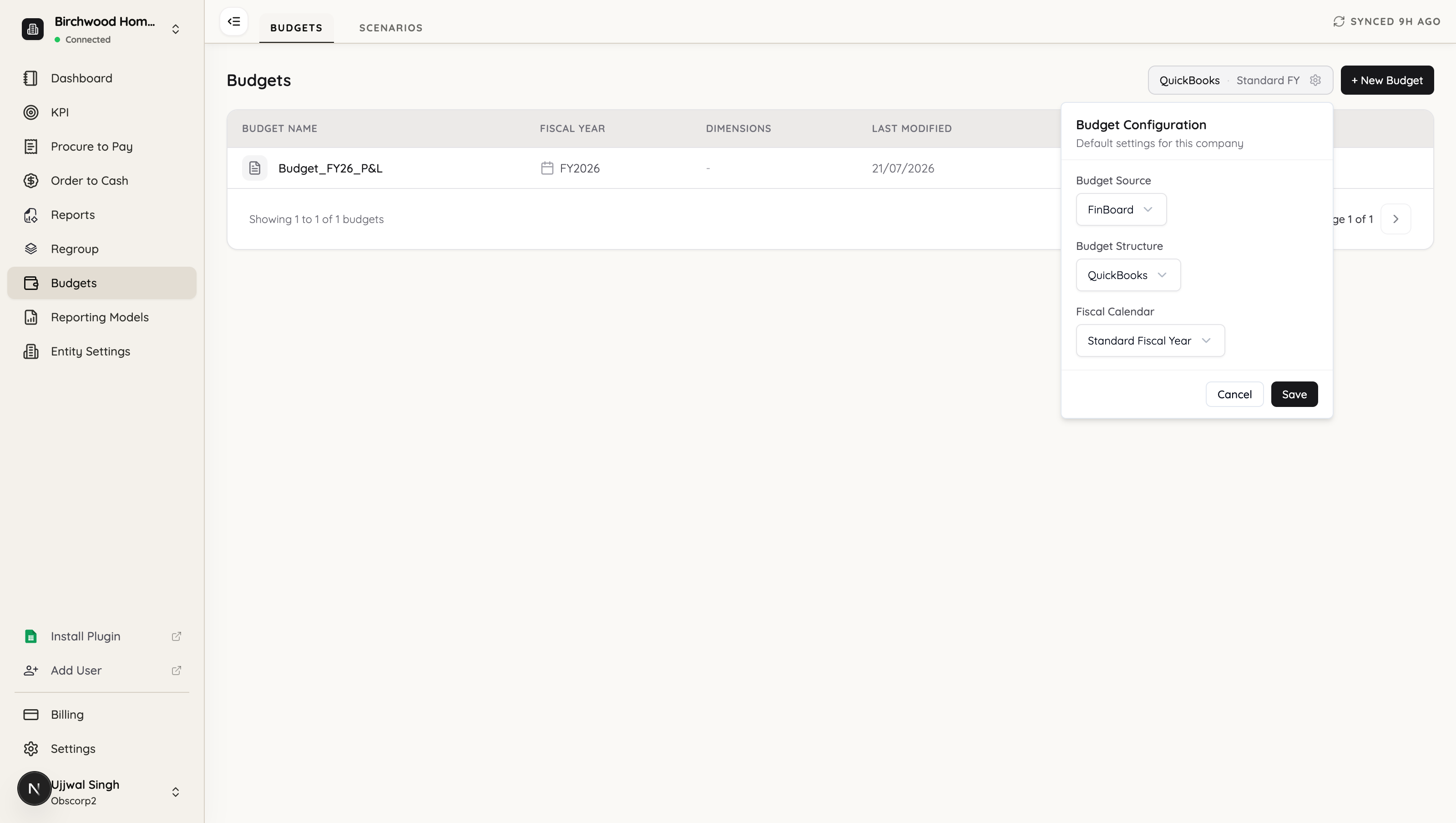
That is the practical difference between the two: a QuickBooks budget is taken as it is, while a FinBoard budget is yours to shape.
The source decides where budgets are created
This catches people out. If the source is QuickBooks and you click + New Budget, FinBoard will not open the builder:
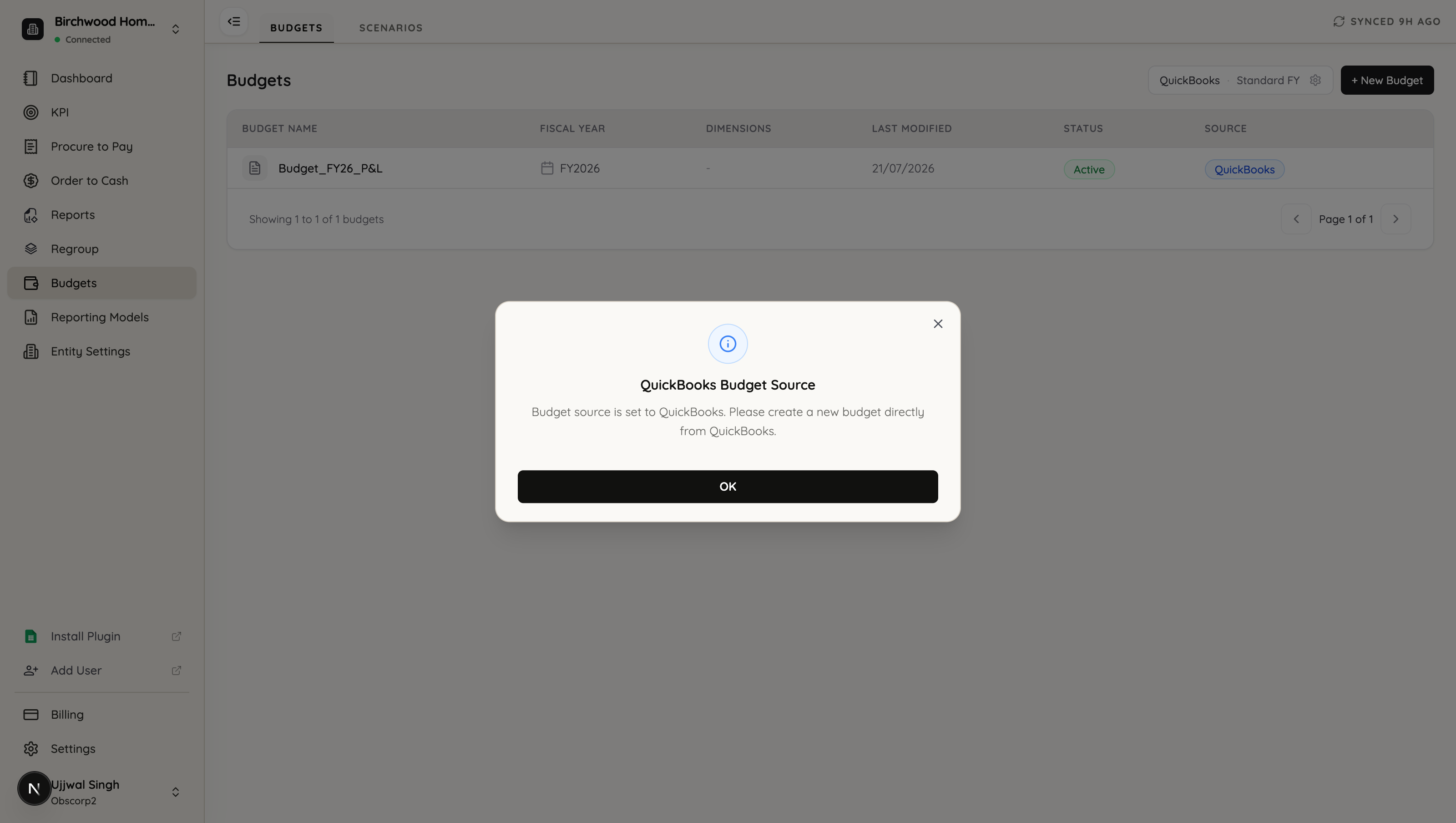
Budget source is set to QuickBooks. Please create a new budget directly from QuickBooks.
That is working as intended. With a QuickBooks source, budgets are authored in QuickBooks and appear in FinBoard after the next sync. To build budgets inside FinBoard, set the source to FinBoard first.
Which source should you pick?
QuickBooks if your budget already lives there, it is written at the same account level as your books, and you only need budget-versus-actual columns in reports. Nothing to maintain in two places.
FinBoard if any of the following apply:
- Your budget arrives as a spreadsheet rather than living in QuickBooks.
- You budget by customer, class or department and want those splits kept.
- You budget against your own reporting structure rather than the raw QuickBooks chart.
- You budget on a custom fiscal calendar.
- You need consolidated budgets across multiple entities.
You can change the source later. Budgets already created under the other source are not deleted — but reports will only offer budgets that match the current configuration, so switching does change what your team can pick.
Next
- Create a budget — the builder, step by step
- Use a budget in reports — budget-versus-actual columns