Manage reports
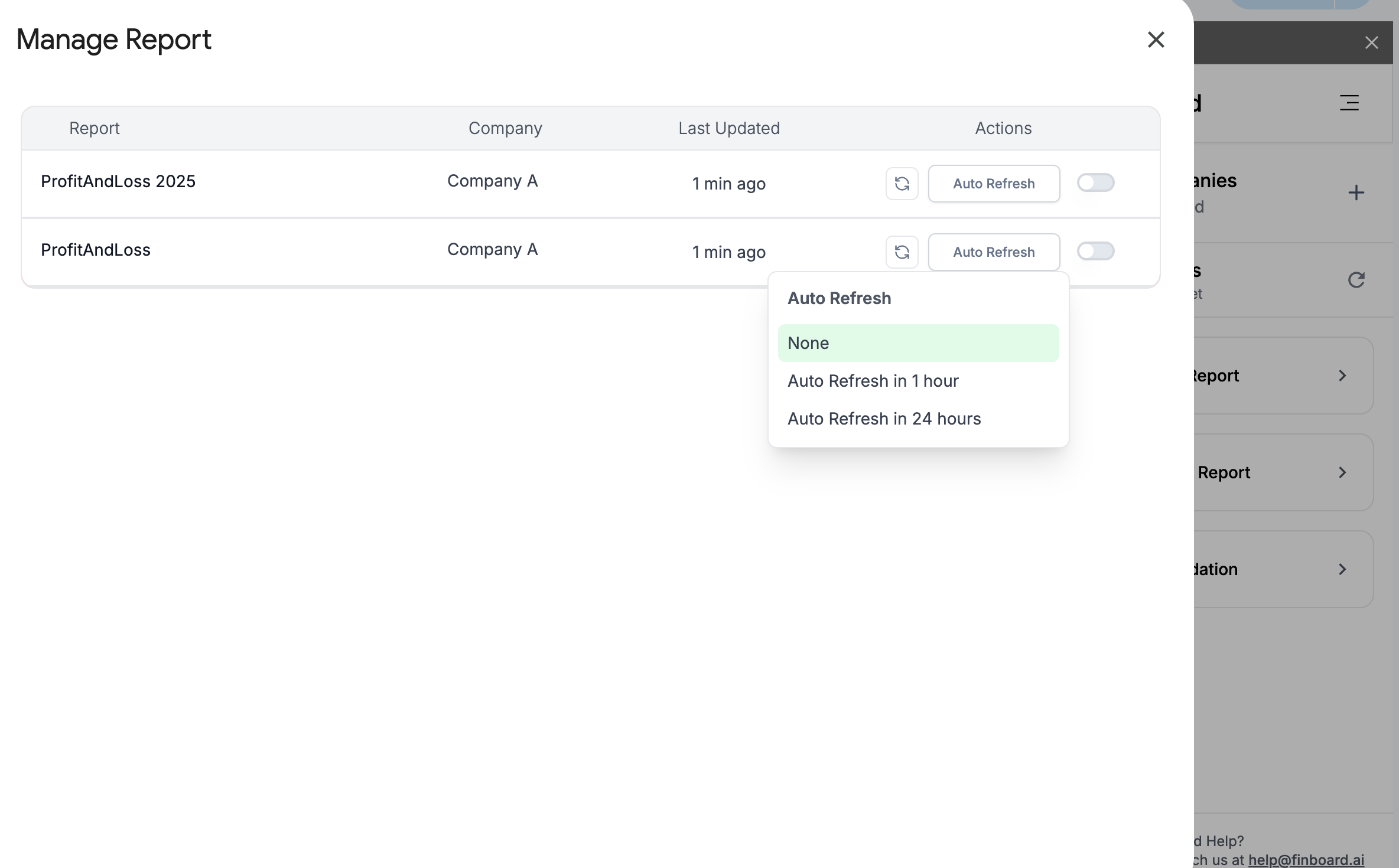
With manage reports, you can schedule a FinBoard report to auto-refresh at a periodic interval of either an hour or 24 hours.
To do this,
-
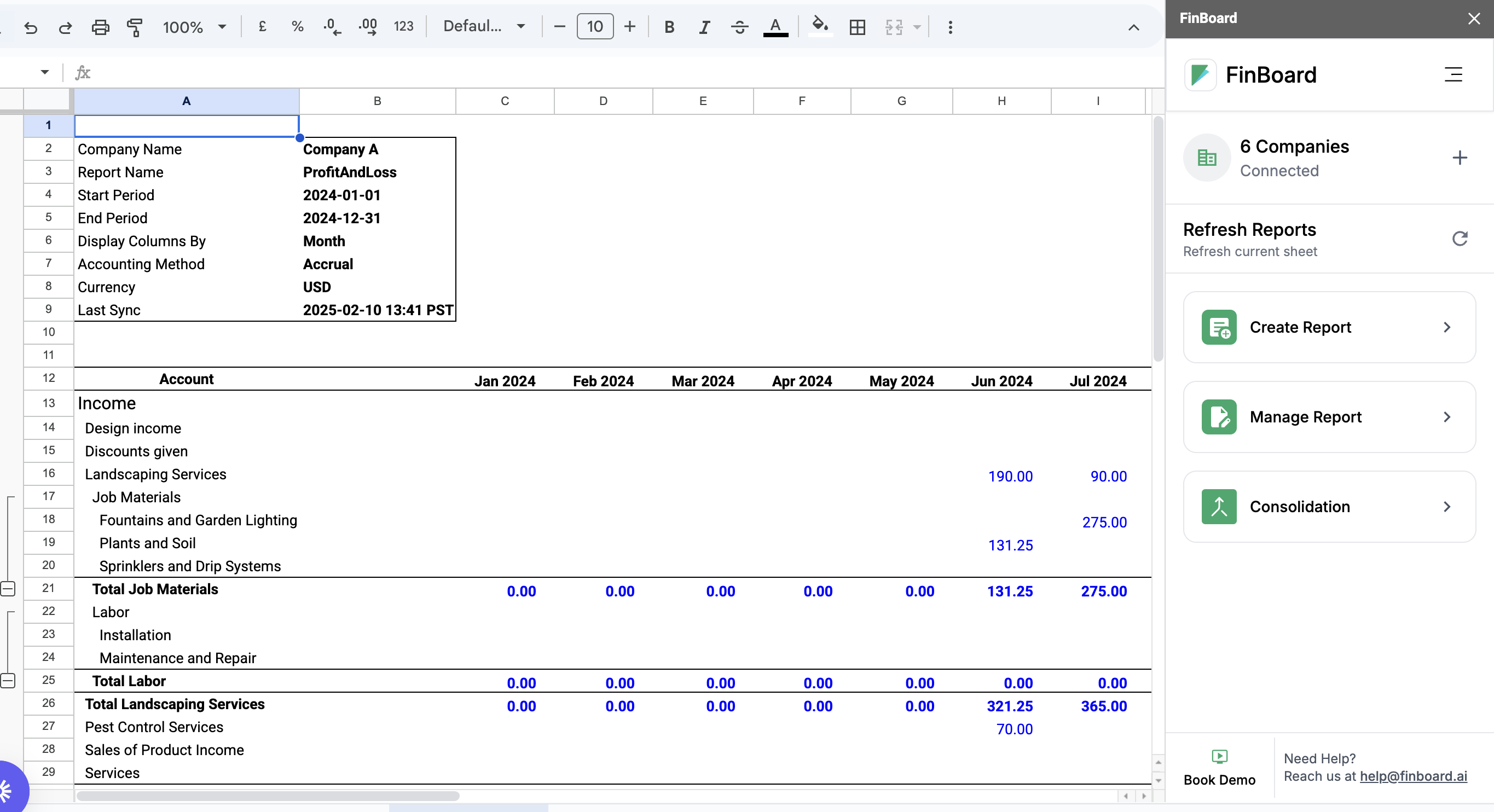
Open the Google Sheet that contains FinBoard report you want to auto-refresh
-
Open FinBoard extension from the top bar
-
Click on “Manage report”
-
Find your report in the list and click on the auto refresh icon next to that report.
-
Chose the auto-refresh period and close the plugin
That’s it. FinBoard would keep that Google Sheet report updated with the latest data in QuickBooks